


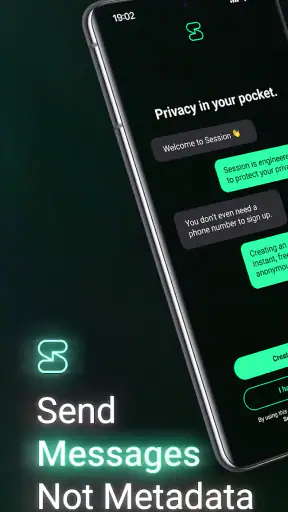
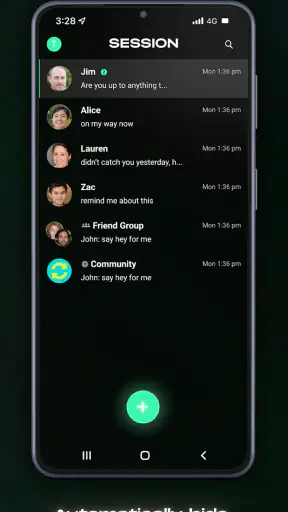
When I want a private way to message someone without tying every conversation to a conventional phone-number-based account, Session - Private Messenger is one of the apps I look at first. I found it more focused than the usual chat services, with privacy placed at the center rather than treated as a settings-page extra. That focus makes it appealing for certain conversations and communities, although it also means the experience is not as universally convenient as the biggest messaging platforms.
Session is a free communication app from Session Foundation, available for Android and iOS. It is aimed at people who want private messaging and are willing to accept a slightly different setup in exchange for that priority. The app is rated for Everyone, so its intended audience is broad, but its strongest appeal is to users who actively care about reducing the amount of personal information connected to their chats.
Its public reception is encouraging: Session holds an average rating of 4.6 from around 34 thousand ratings, and it has passed 5 million installs. Those figures do not make it automatically right for everyone, but they do suggest that the app has built a substantial user base beyond privacy enthusiasts who enjoy testing experimental tools.
How Session feels in everyday use
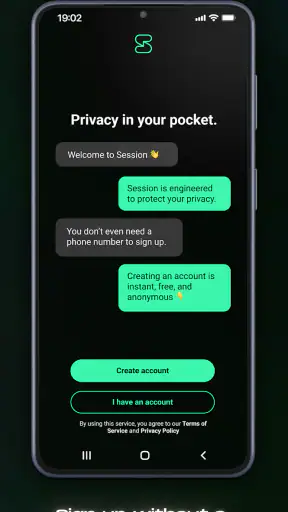
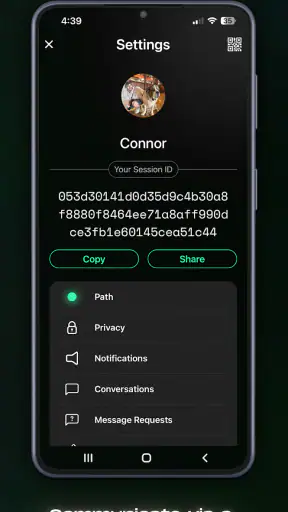
The first thing I noticed is that Session asks me to think differently about messaging identity. With ordinary chat apps, I usually start by giving a phone number, creating an account with an email address, or connecting the service to an existing social profile. Session’s appeal is that it is designed around a private identity instead of making my telephone number the obvious handle for every conversation.
That changes the practical workflow. Before inviting someone to chat, I need to make sure we are both comfortable using Session and that I have a reliable way to share the relevant contact information. This is not difficult, but it is less automatic than choosing a person from the address book in a mainstream messenger. I would not install it expecting all my existing contacts to appear instantly and behave exactly as they do elsewhere.
For a realistic example, imagine arranging a sensitive appointment with a community group, discussing a personal matter with a new contact, or keeping a small project separate from a work identity. I could use Session for that conversation without making a standard phone number the center of the relationship. The benefit is clearest when both people already understand why privacy matters and are prepared to use the same service consistently.
Session is also useful when I want a dedicated communication space rather than another account connected to my wider online profile. That separation can make conversations feel more deliberate. It is not a replacement for every social interaction, though. If my friends, relatives, or colleagues are already committed to another platform, convincing everyone to move can be the hardest part of the experience.
What the free access gives me
The app itself is free to download and use, which makes trying it fairly straightforward. I can explore the interface and decide whether its privacy-focused approach fits my routine without paying an entry fee. That matters because Session is a product where the main question is not simply whether I like the design; it is whether my contacts will also accept the different messaging workflow.
There are in-app purchases listed from $4.49 to $35.99 per item. I would treat those purchases as optional paid value rather than assuming that the free experience is only a limited demonstration. The important decision is to check what a particular purchase provides before spending money, especially if I only need private one-to-one messaging. The free access is enough to judge whether the app belongs in my daily communication habits.
In other words, I see Session’s value in two layers. The first is the no-cost opportunity to use a privacy-oriented messenger. The second is any optional purchase that may make sense for a user who wants to support the project or obtain an item offered inside the app. I would not recommend buying anything merely because the app is privacy-focused; I would buy only when the specific paid item has a clear benefit for my own use.
The current version is 1.33.5, and the app requires Android 8.0 or later on Android devices. That requirement is reasonable for many modern phones, but anyone using an older handset should check compatibility before planning a switch. Since messaging apps need to work reliably across a whole group, one unsupported device can make adoption awkward even when the rest of the group is ready.
Where the privacy-first design delivers real value
The strongest value is not a flashy feature. It is the change in the relationship between identity and conversation. Many familiar messengers make a phone number the starting point, which is convenient but not ideal for every situation. Session is attractive when I want to communicate while keeping that conventional connection less central.
That is particularly useful for people who separate personal, volunteer, professional, or community communication. A person organizing a local support group, for example, may not want every participant to receive a personal number simply to exchange updates. A small team working on a sensitive project may also prefer a channel that does not feel tied to its members’ everyday social accounts.
Another non-obvious strength is the psychological value of having a purpose-specific messenger. When I use the same major app for family chats, shopping messages, work groups, and casual conversations, it becomes easy to send something to the wrong place or expose more context than intended. A separate Session identity can create a useful boundary. That is not a technical guarantee against mistakes, but it is a practical habit that can improve discipline.
I also appreciate that the app’s privacy promise is not presented as a reason to ignore ordinary security habits. A private messenger still depends on how carefully I protect access to my device and how thoughtfully I share contact details. I would avoid copying sensitive identity information into a public group, and I would make sure a new contact is really the person I intended to reach before discussing anything confidential.
The tradeoffs I would consider before switching
The biggest limitation is network effect. A messenger is only useful when the people I need to reach are willing to use it. The large services win because nearly everyone already has an account there. Session can be a better privacy choice in a small, motivated group, but it is not automatically the better choice for a family chat where nobody wants to install another app.
There is also a learning curve around identity management. A person accustomed to phone-number discovery may wonder how to find contacts, how to share an identity safely, and what to do if they change devices. I recommend testing the complete process with a trusted friend before relying on Session for an urgent conversation. That trial run reveals more than reading a privacy slogan because it shows whether both people understand the handoff.
Convenience can be another tradeoff. Mainstream messengers often combine chat with familiar extras, established contact lists, and habits that require almost no explanation. Session’s focused approach is appealing precisely because it does not feel like a general-purpose social network, but that focus can make it less suitable for someone who wants one app to handle every conversation and every contact automatically.
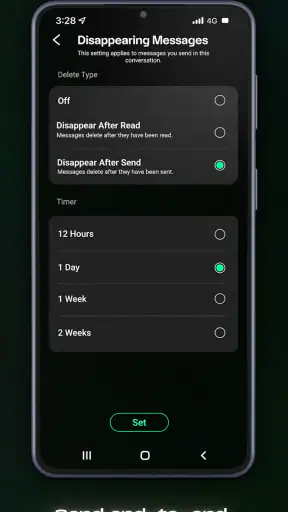
I would also be careful not to confuse private messaging with total invisibility. Privacy is a broad goal, and a user still needs to consider the device, the people in the conversation, screenshots, notification previews, backups, and the information shared in the message itself. Session may reduce some forms of exposure, but no app can stop a recipient from mishandling a message or a compromised device from creating problems.
For that reason, I would not use Session as an excuse to send information carelessly. I would still keep the phone protected, review who has access to a conversation, and avoid placing unnecessary personal details in messages. The app is most valuable as one part of a careful communication routine, not as a magic shield.
Who will get the most from Session
Session is a strong fit for privacy-conscious users who can persuade their important contacts to join them. It is also well suited to people who want a separate communication identity for volunteer work, community organizing, personal projects, or conversations that they do not want mixed with a primary phone-based messaging account.
It makes sense for someone who values control over how they begin a conversation more than instant access to every contact. If I am prepared to explain why I prefer Session and to help another person get started, the app becomes much more useful. The free entry point makes that experiment easier because neither person has to make a financial commitment before deciding whether the workflow works.
People who should probably skip it are those whose priority is universal reach. If my work depends on contacting customers who will not install another messenger, or if my family expects every conversation to happen inside a familiar service, Session may create more friction than value. I would also hesitate if I regularly need the broad ecosystem and effortless contact discovery offered by a mainstream alternative.
It is worth remembering that a high rating and millions of installs do not remove that personal compatibility question. Session has enough adoption to be credible, but private communication still works best when the people around me share the same expectations. I would judge it by the group I actually need to contact, not by popularity alone.
Small habits that make the experience better
My first practical tip is to create a contact-sharing routine before moving an important conversation. I would agree with the other person on a trusted channel for exchanging identities, then begin with a harmless test message. This avoids the common mistake of installing a privacy-focused app only when a sensitive conversation is already urgent.
My second tip is to keep Session’s role clear. I would use it for conversations where its privacy-oriented identity model is genuinely useful, while leaving low-risk group chatter on the service everyone already uses. Trying to force every conversation into one privacy tool can cause unnecessary resistance and make the app feel like a burden.
My third tip is to separate privacy goals from convenience goals. If I need a service mainly because it is easy for a large group, another messenger may be the sensible option. If I need a service because I do not want a phone number to be the default bridge between me and a new contact, Session deserves a closer look. Knowing which problem I am solving prevents disappointment.
I would also explain the reason for using Session instead of simply sending an installation request. People are more likely to follow a new workflow when they understand the benefit and know exactly how they will contact me afterward. A short, clear explanation is often more effective than assuming that privacy alone will persuade everyone.
My recommendation after weighing the cost and friction
For me, Session is a worthwhile free app when privacy is an active requirement rather than a vague preference. Its value comes from giving conversations a different starting point and from helping me keep certain communication separate from my usual phone-centered identity. That is a meaningful benefit, especially for small groups with a shared reason to be careful.
I would not recommend paying for an in-app item without first understanding its purpose. The free experience is the right place to test the app, invite one trusted contact, and see whether the identity-sharing process feels natural. If that trial does not fit my habits, spending money will not solve the underlying network-effect problem.
My final verdict is to try Session if I can name a specific privacy need and at least one person who will use it with me. I would skip it as a universal replacement for a mainstream messenger when convenience, reach, and effortless contact discovery matter more. In the right situation, it is a focused and thoughtful communication tool; in the wrong one, the extra coordination becomes the very reason I stop using it.
Overall, I see Session as a practical choice for deliberate private communication, not a one-size-fits-all chat app. The free access lowers the risk of experimenting, the privacy-centered design gives it a clear identity, and the limitations are easy to understand once I test it with a real contact. If privacy is the reason I am choosing a messenger, rather than a bonus I may never use, Session is worth installing and evaluating firsthand.


